qwerty541/dns-bench
Find the fastest DNS in your location to improve internet browsing experience.
5.5K
qwerty541/dns-bench repository overview
dns-bench (Docker)
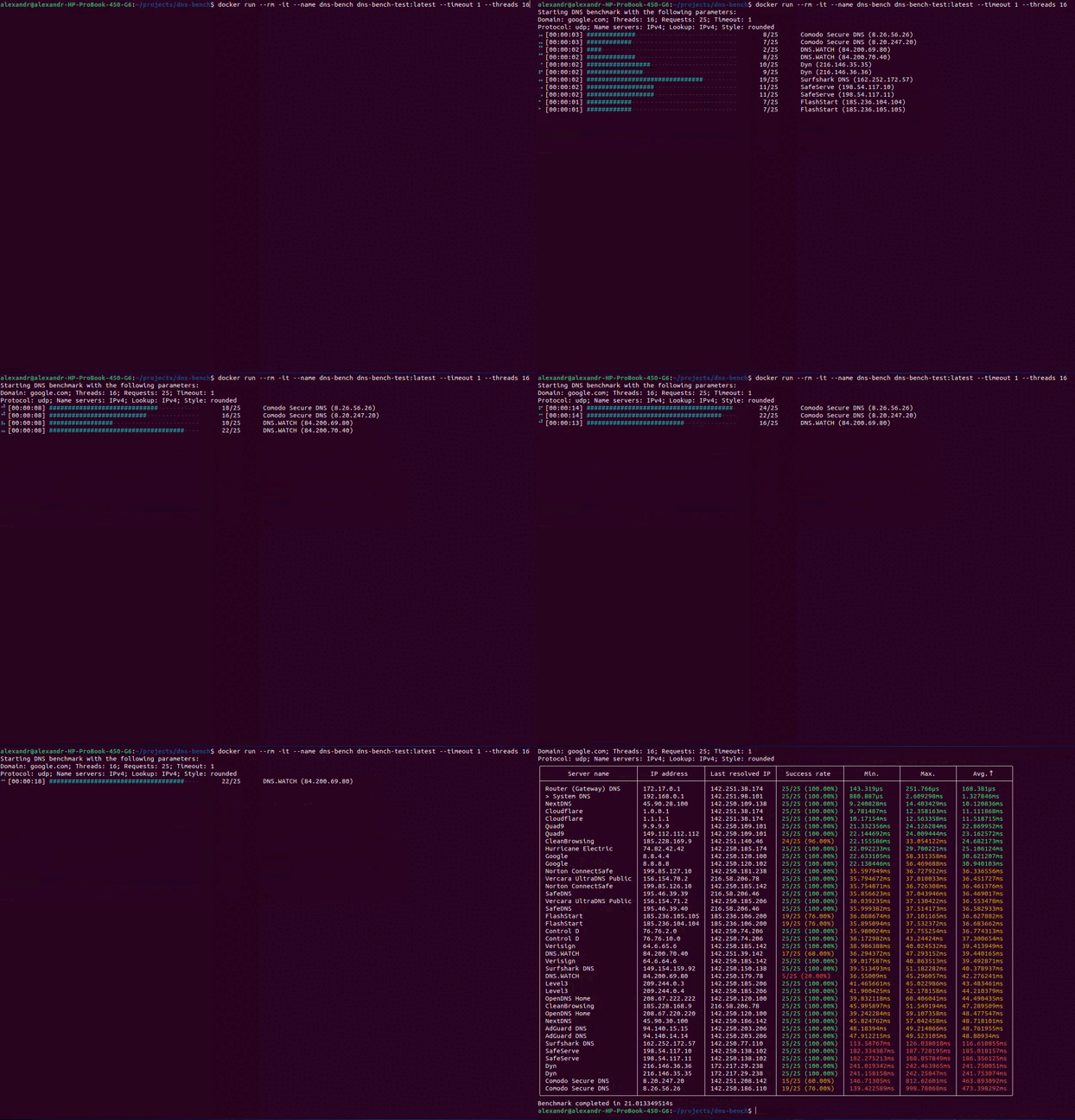
A fast, cross-platform DNS benchmarking CLI. This image runs the dns-bench binary inside a container so you can benchmark public DNS servers and print results in multiple formats (table, JSON, XML, CSV).
- Source code: https://github.com/qwerty541/dns-bench
- Issues: https://github.com/qwerty541/dns-bench/issues
- Releases: https://github.com/qwerty541/dns-bench/releases
- Tags on Docker Hub: https://hub.docker.com/r/qwerty541/dns-bench/tags
Preview
Image
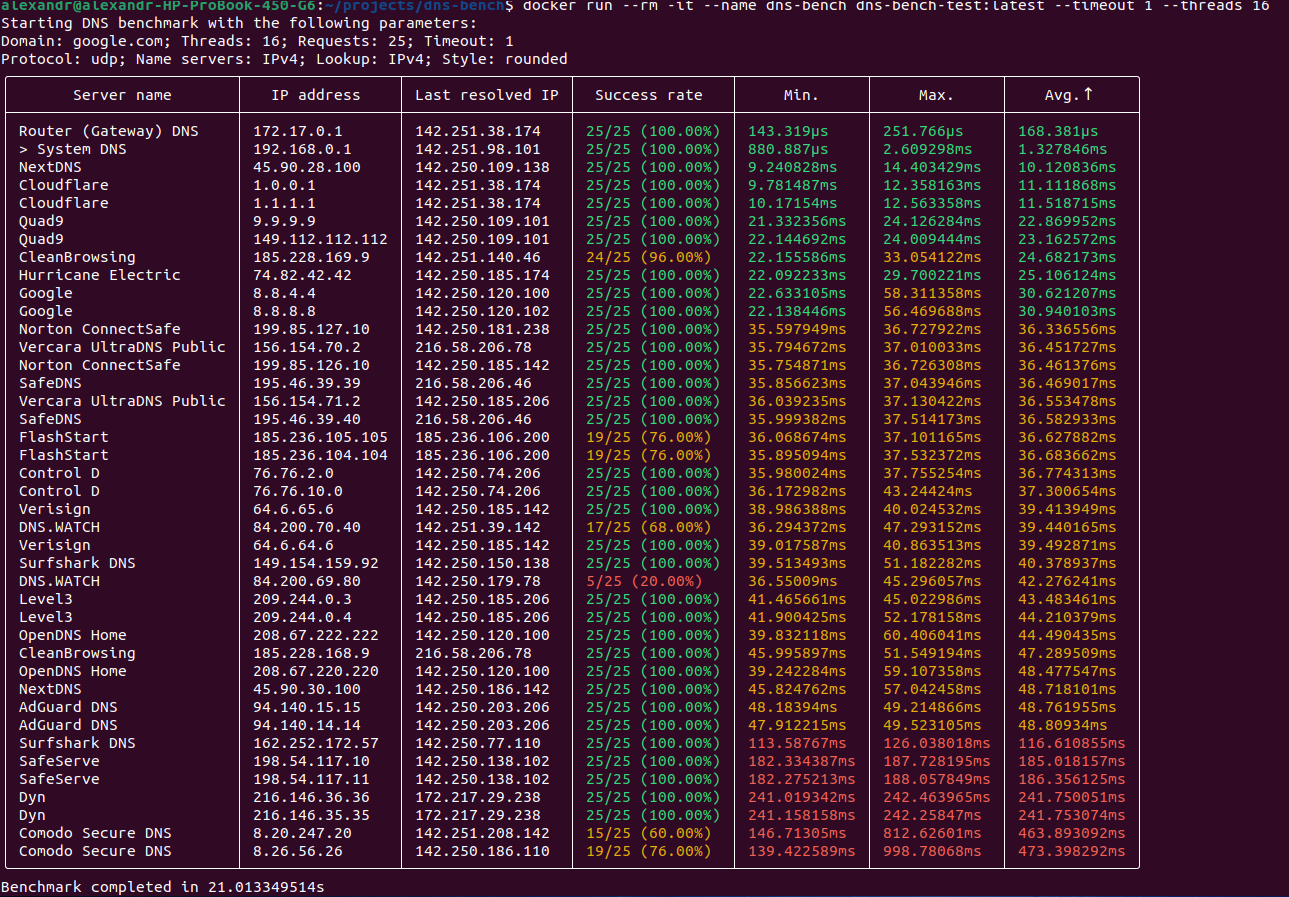
Animation
Quick start
Pull the image:
docker pull qwerty541/dns-bench:latest
Run an interactive benchmark (default command runs dns-bench --skip-system-servers --skip-gateway-detection):
docker run --rm -it --name dns-bench qwerty541/dns-bench:latest
Show help:
docker run --rm -it --name dns-bench qwerty541/dns-bench:latest --help
Run with options (example):
docker run --rm -it --name dns-bench \
  qwerty541/dns-bench:latest \
  --requests 50 --domain microsoft.com --style re-structured-text
Volumes and configuration
- Custom DNS server list
Example (read-only mount):
docker run --rm -it --name dns-bench \
  --volume /path/to/ipv4-custom-servers.txt:/servers.txt:ro \
  qwerty541/dns-bench:latest \
  --custom-servers-file /servers.txt
- Persisting configuration across runs
- The app stores config in
/root/.dns-bench/config.tomlinside the container. - To persist between runs, bind-mount a host directory to
/root/.dns-bench.
- The app stores config in
Example:
mkdir -p "$PWD/.dns-bench"
docker run --rm -it --name dns-bench \
  --volume "$PWD/.dns-bench:/root/.dns-bench" \
  qwerty541/dns-bench:latest \
  --save-config
Networking notes
- For the most accurate latency measurements on Linux, consider using host networking to minimize NAT overhead:
docker run --rm -it --name dns-bench --network host qwerty541/dns-bench:latest
Output formats
dns-bench can print results as a human-readable table (default), JSON, XML, or CSV.
Examples:
# JSON
docker run --rm -it --name dns-bench \
  qwerty541/dns-bench:latest \
  --format json

# XML
docker run --rm -it --name dns-bench \
  qwerty541/dns-bench:latest \
  --format xml

# CSV (save to a file on the host)
docker run --rm --name dns-bench \
  qwerty541/dns-bench:latest \
  --format csv \
  > results.csv
Running as non-root (optional)
If your Docker daemon user/group setup allows, you may run the container as your current user:
docker run --rm -it --name dns-bench \
  --user "$(id -u):$(id -g)" \
  --volume "$PWD/.dns-bench:/root/.dns-bench" \
  --volume /path/to/servers.txt:/servers.txt:ro \
  qwerty541/dns-bench:latest \
  --custom-servers-file /servers.txt
Note: ensure mounted directories are readable/writable by the chosen UID/GID as needed.
Examples
- Basic benchmark with defaults:
docker run --rm -it --name dns-bench qwerty541/dns-bench:latest
- Benchmark with 16 threads and 50 requests:
docker run --rm -it --name dns-bench \
  qwerty541/dns-bench:latest \
  --threads 16 --requests 50
- Use IPv6 for both lookup and server connection:
docker run --rm -it --name dns-bench \
  qwerty541/dns-bench:latest \
  --lookup-ip v6 --name-servers-ip v6
- Persist config and reuse it:
mkdir -p "$PWD/.dns-bench"

# Save current flags
docker run --rm -it --name dns-bench \
  --volume "$PWD/.dns-bench:/root/.dns-bench" \
  qwerty541/dns-bench:latest \
  --save-config

# Next run uses saved config by default
docker run --rm -it --name dns-bench \
  --volume "$PWD/.dns-bench:/root/.dns-bench" \
  qwerty541/dns-bench:latest
Command-line reference
All CLI options and subcommands are documented in the project README:
- Options: https://github.com/qwerty541/dns-bench#options
- Subcommands: https://github.com/qwerty541/dns-bench#subcommands
Troubleshooting
- No results or timeouts:
- Ensure the container has outbound internet access.
- Try
--network hoston Linux to reduce overhead. - Increase
--timeoutor reduce--requests/--threads.
- Custom servers file not loaded:
- Verify the bind mount path and that the file is readable inside the container.
- Validate format using the examples linked above.
- Config not persisted:
- Ensure the
/root/.dns-benchdirectory is bind-mounted and writable.
- Ensure the
License
Licensed under either of
- Apache License, Version 2.0, (LICENSE-APACHE or https://www.apache.org/licenses/LICENSE-2.0)
- MIT license (LICENSE-MIT or https://opensource.org/licenses/MIT)
at your option.
Tag summary
Content type
Image
Digest
sha256:4b00b9a44…
Size
30.1 MB
Last updated
9 months ago
docker pull qwerty541/dns-bench